
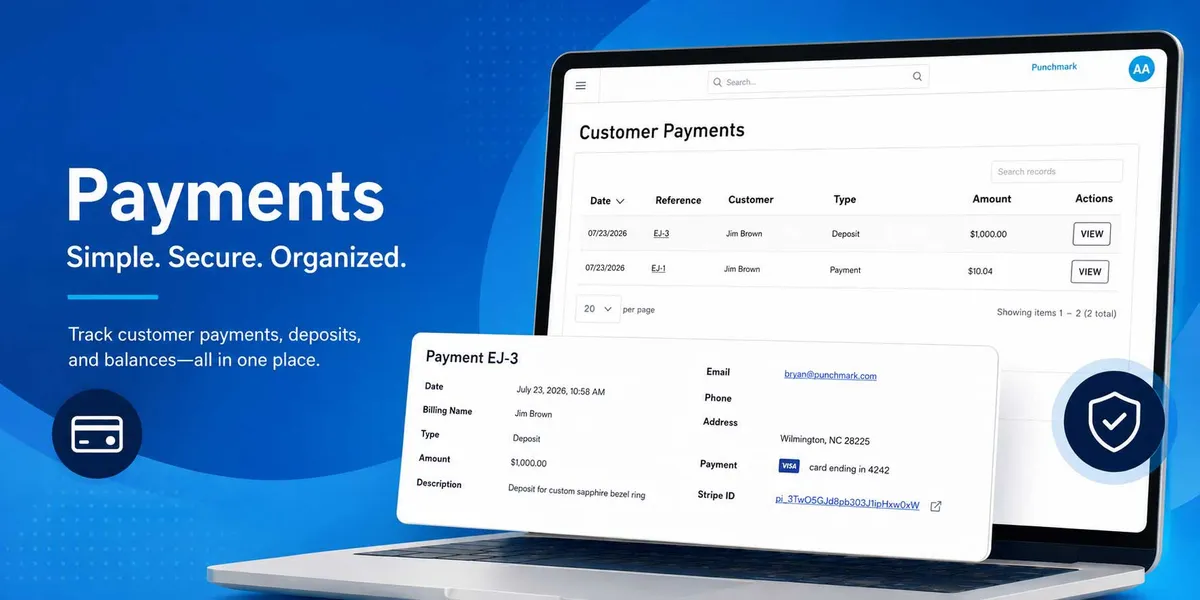
A jewelry business can do everything else right, but business doesn’t succeed unless money moves. That’s the simple idea behind our latest payment page update: make it easier for your customers to pay, then give you the visibility and follow-through to manage every payment with confidence.
We built this update to make taking a payment easier from beginning to end. You now have a new place to manage payments in SiteManager, while your customers get a clearer way to pay and a proper receipt when they are done.
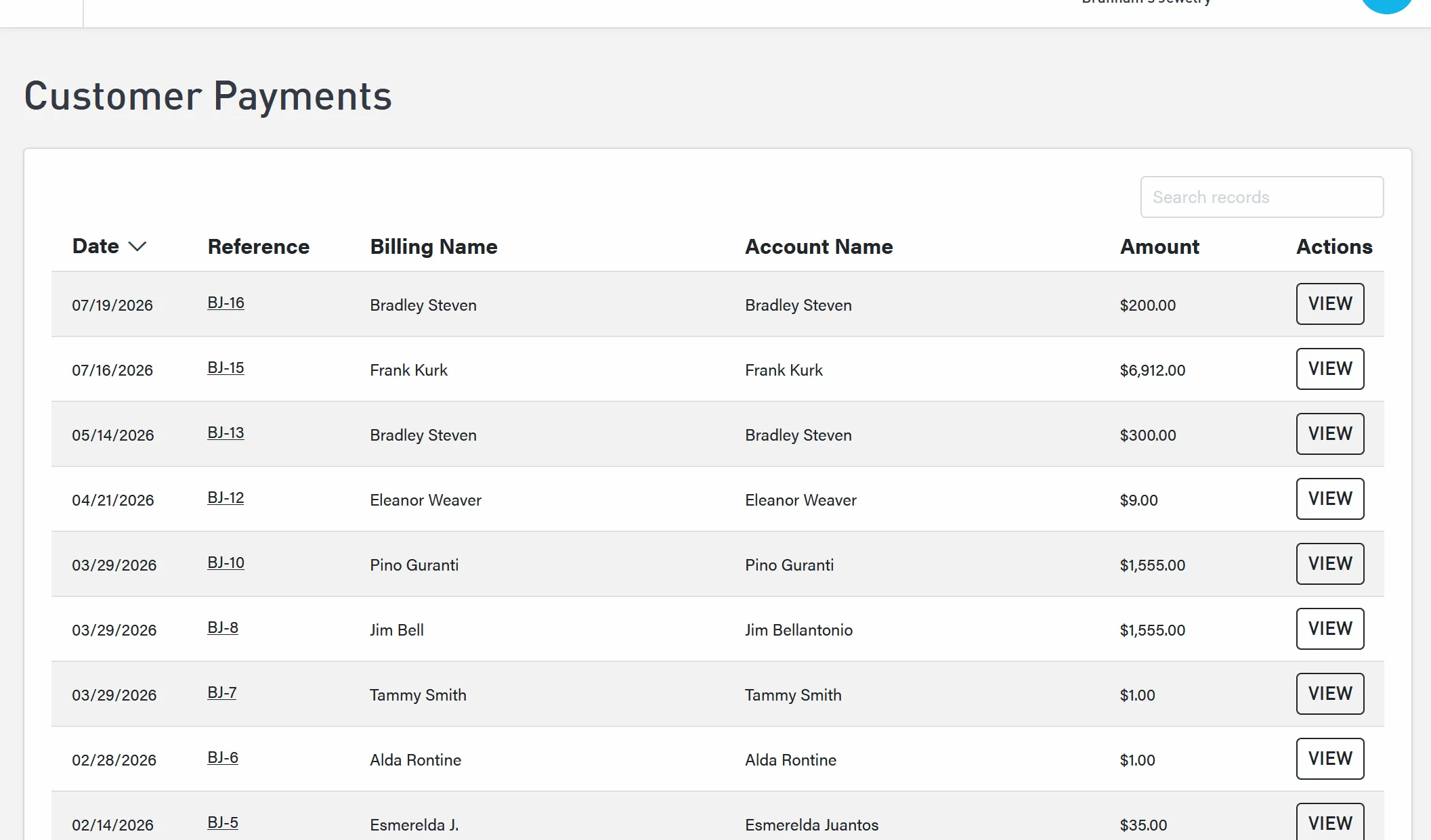
Every payment, all in one place
You can now open the Manage Payments page in SiteManager to see the payments made through your website in one clear view. Select any payment to review the details, including the payment method, account name, payer name, reference number, and transaction ID from the payment gateway.
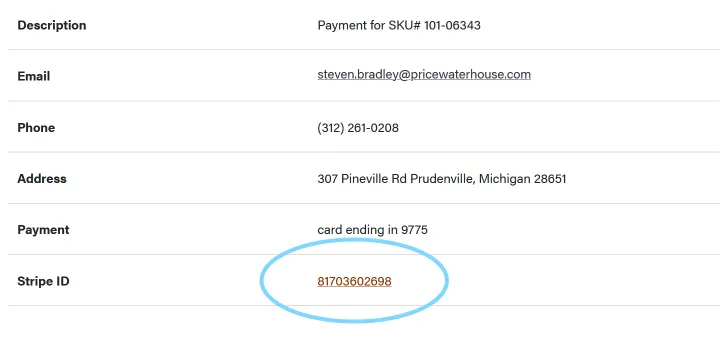
For Stripe payments, the record also links directly to the matching transaction in Stripe. When you need to confirm a payment, investigate a question, issue a refund, or use Stripe’s own controls, you can move from SiteManager to the right transaction without hunting for it.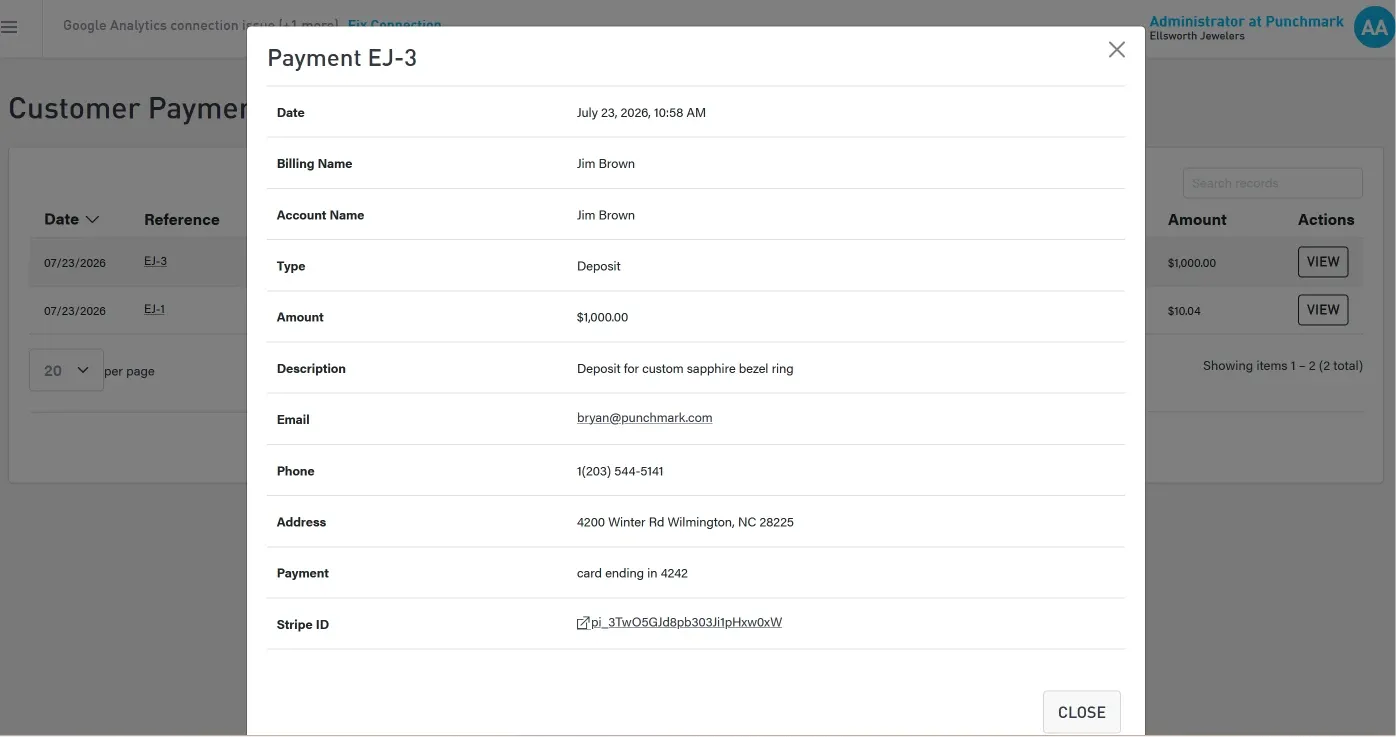
A smoother way for customers to pay
We redesigned the customer-facing Make a Payment page to reduce unnecessary steps and give customers clearer confirmation, especially when you use Stripe. The experience now carries the customer from entering a payment through receiving a detailed receipt.
If you use Stripe, your customers may also be able to pay with Apple Pay, Google Pay, Amazon Pay, or ACH, depending on your Stripe setup. Giving customers familiar options can make it easier for them to settle an outstanding balance, pay a deposit, or make a layaway payment.
After submitting a payment, the customer now lands on a dedicated receipt page with the payment details. We replaced the old success popup so customers have a clear record they can review immediately and refer to if they contact your store.
A reference number keeps everyone on the same page
Payments now receive a reference number, much like orders do. It gives your staff and every customer one simple identifier to use when discussing a transaction.
We added reference numbers because payment questions should be easy to resolve. When a customer calls, replies to an email, or visits the store, both of you can point to the same payment without comparing names, dates, and dollar amounts first.
You’ll know when a payment comes in
A completed payment now triggers a notification at the top of SiteManager, helping your team spot new activity without checking another system or repeatedly refreshing a report.
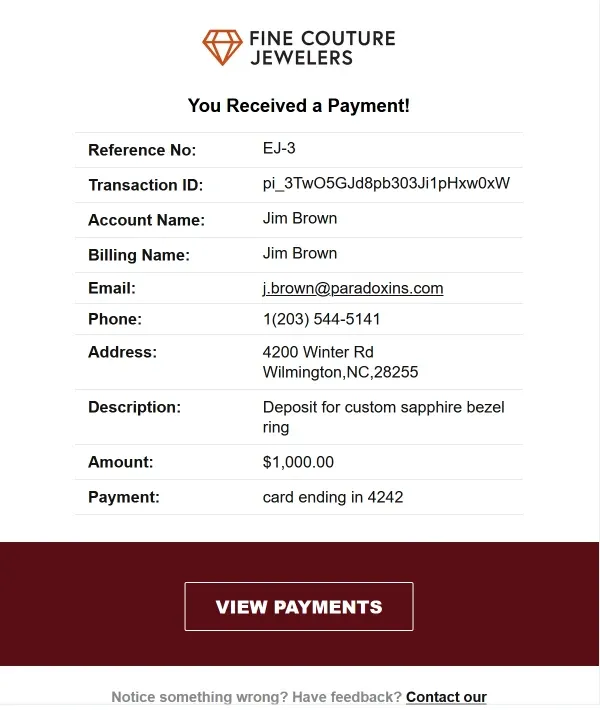
We also rewrote the payment emails sent to you and your customer so they sound more personal and make the important details easier to find. The email you receive includes a direct link to the new SiteManager Manage Payments page, so you can review the record in one click.
Payments are now part of the whole platform
Punchmark made payments a larger part of the website platform because taking a payment should not leave either side wondering what happened next. Your customers have an easier path to pay and a receipt when they are done, while your team has one place to see what happened. If anyone has a question, the reference number helps you start the conversation with the same payment in front of you.