

Built for speed, scale, and clarity
We’re excited to roll out a major upgrade to FileManager and the Image Library. This release delivers a faster, more reliable upload experience, smarter organization tools, and a completely redesigned Image Library that makes it easier to find the right asset at the right moment.
Whether you’re uploading a handful of images or managing a large content library, this update is focused on one thing: helping you move faster without sacrificing control.
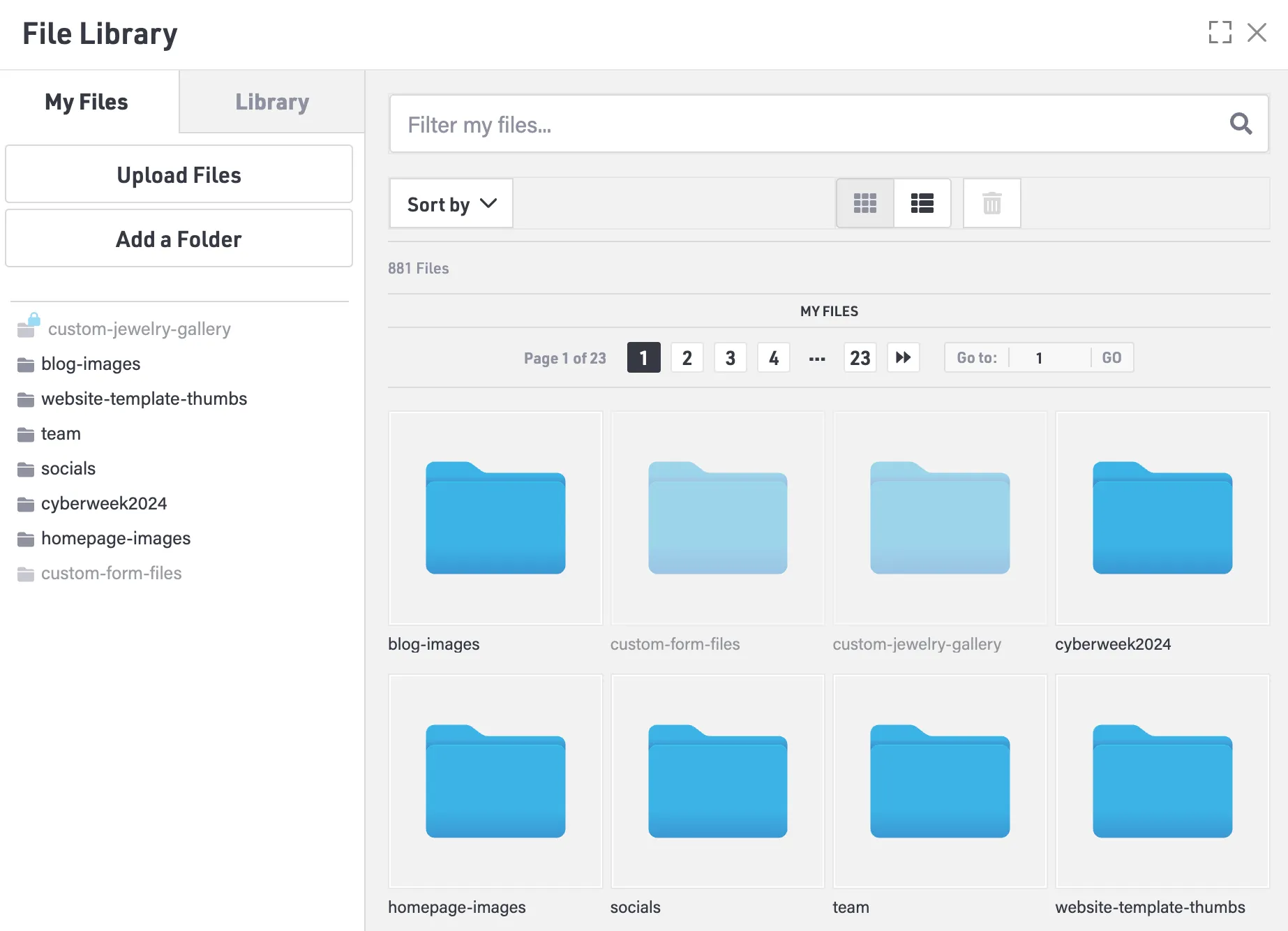
Drag and drop uploads
Uploading files is now as simple as dragging them from your desktop directly into FileManager. You can drop in single files or large batches at once.
- This removes unnecessary steps and speeds up everyday workflows, especially when you are uploading multiple assets at a time.
- Large file uploads with intelligent chunked processing
- FileManager now supports large file uploads using a more resilient upload process.
Key improvements include
- Maximum file size increased to 250 MB
- Files upload in 2 MB chunks for better stability
- Upload progress tracking for files over 25 MB
- Automatic retry if a network interruption occurs
You can confidently upload large images and videos without worrying about timeouts, failed uploads, or having to start over.
More file types are now supported
PDF upload support
PDF files are now fully supported in FileManager, including the ability to link and preview them in a new window. This makes it easy to manage brochures, catalogs, spec sheets, and other downloadable files alongside your images and videos in one place.
WebP image format support
The modern WebP image format is now supported throughout the platform. WebP delivers smaller file sizes while maintaining excellent visual quality, helping improve site performance without sacrificing clarity.
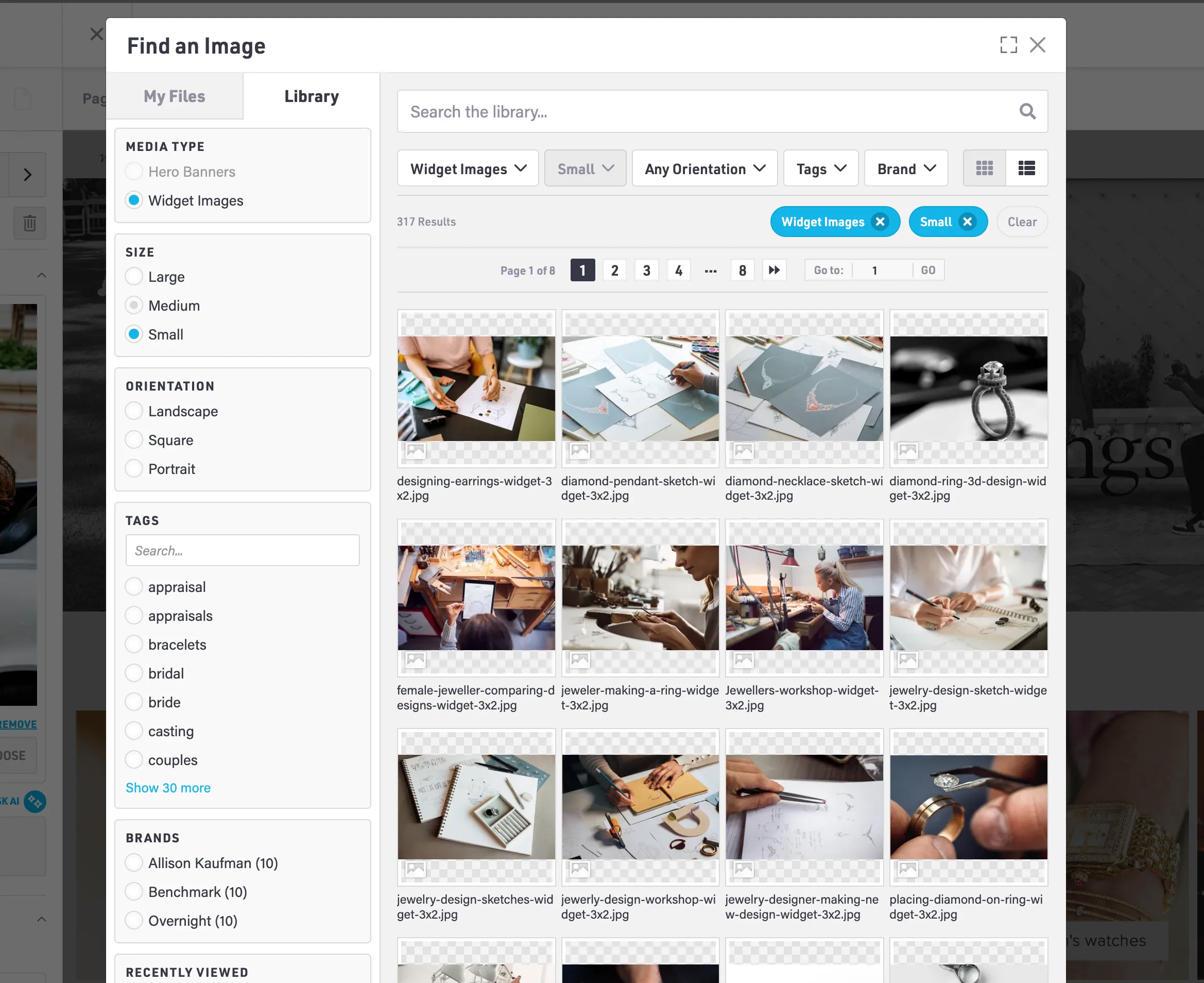
A completely redesigned Image Library with advanced filtering
The Image Library has been rebuilt from the ground up to make finding the right asset fast and intuitive.
You can now filter by:
- Media type - Hero banners, widget images, logos and badges, videos, and other assets
- Size category - Extra large, large, medium, and small, based on how the image is being used
- Orientation - Landscape, square, or portrait
- Tags - Searchable keywords such as rings, diamonds, or lifestyle
- Brands - Browse marketing images added by your Premium Brands
- Recently viewed - Quickly return to images you have used before
A new experience with AI-Powered smart enhancements:
One of the smartest improvements in this release is how the Image Library now understands the context of what you are working on. When you open FileManager from an existing image on your site, the system automatically detects the aspect ratio of that image and pre-selects the closest matching size and orientation filters for you. This means the Image Library immediately shows assets that are most likely to fit your layout without trial and error. This removes friction, reduces guesswork, and helps ensure the images you choose are visually compatible with the space they are being placed into.
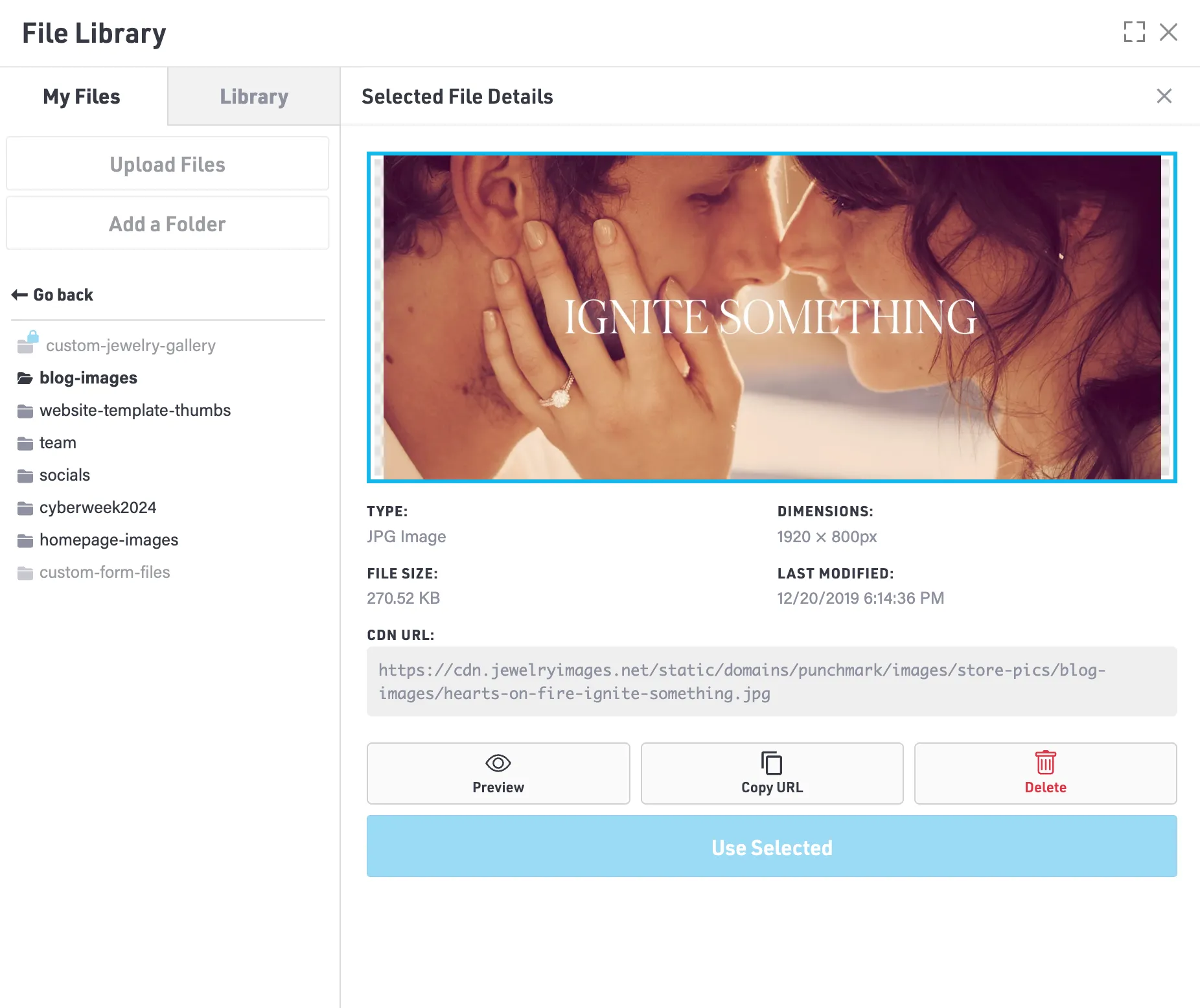
File Inspector panel
Clicking any file now opens a detailed Inspector panel on the right side of the screen.
The Inspector includes:
- Large preview thumbnail
- File type and format
- Image dimensions
- File size
- Last modified date and time
- Full CDN URL with one click copy
This gives you immediate access to the details you need without leaving your workflow.
Pre sized image variations
Most images in the Image Library are now available in up to ten predefined aspect ratios. You can maintain consistent sizing and intentional cropping across your site without stretching images, guessing dimensions, or manually resizing files.
Premium vendor and brand images
Approved Premium Vendors now have brand assets available directly inside FileManager. We will continue expanding this library over time, with plans to eventually allow direct vendor uploads soon.
Fullscreen mode
A new fullscreen toggle allows you to expand FileManager to fill your entire screen.This is especially helpful when working with large libraries, detailed filters, or focused upload sessions.
Smart state persistence
FileManager now remembers how you prefer to work, even between sessions.
The system remembers:
- Your last folder location in My Files
- Active filters and search terms in the Image Library
- Grid or list view preference
- Sort order
- Recently used images
You can pick up exactly where you left off without reconfiguring your workspace each time.
From faster uploads and better reliability to a powerful new Image Library built for real world workflows, FileManager is now designed to scale with your business and keep your content organized as your library grows.